
Searching the Star Court Docket
Star has no docket search of its own. Begin a Star court docket lookup in the official North Carolina eCourts Portal. Pick Smart Search from there. A known record number is the best place to start. Without one, use the documented Party Name route and set the location filter to Montgomery. The Case Summary, also called the Register of Actions, gives you the public timeline. It holds case information, Case Events, Hearings, Dispositions, and any available documents.
- Enter a Star case or citation number in Smart Search if it appears on a notice or court paper.
- When the number is not known, enter a party name as the principal search value and then select Montgomery to narrow the Star results.
- Open the matching Case Summary and keep the record number with the current Star case details.
- Open Search Hearings to check a Star court date, time, and location instead of guessing from an older event.
- Use the Montgomery County Clerk of Superior Court for a historic paper file, official copy, or a Star case that remains unclear online.
The Portal is free for ordinary public information. No registration is needed. A Star Portal result helps you spot public case activity, but it is not the official court record and never substitutes for the Clerk's file.
Star Docket Uses North Carolina Portal
There is no Star municipal docket, calendar, or pay portal. The statewide Portal serves as the remote Star court route rather than a town-built database. Smart Search can work from a case number, party name, citation number, attorney or business information, cross-reference number, or nickname. Each option follows its documented search paths. Advanced filters can narrow a Star search by location, case type, status, and filing-date information. They cannot run on their own, though; you still need a principal name or number. Once a Star case comes up, the Case Summary lays out the public sequence. Depending on the case, it may hold Case Information, Assignment Information, Party Information, Case Events, Hearings, Dispositions, and Financial Information. A document image may appear after upload and processing. Even so, a Star docket entry does not promise an attachment. For a certified document or an older paper file, the Troy Clerk is the local source. Note: Star registration enables My Cases. It adds no ordinary access to a restricted court record.
Star Municipal Court Basics
North Carolina's unified structure means there is no Star Municipal Court. There is no separate city court layer either. The town posts no Star court calendar, town docket, or citation-payment portal. Any Star ordinance or traffic matter that reaches court travels the District Court and Montgomery Clerk path instead. So search a Star case in the Portal with Montgomery chosen as the location. The official Town of Star site is the town's source for municipal information.
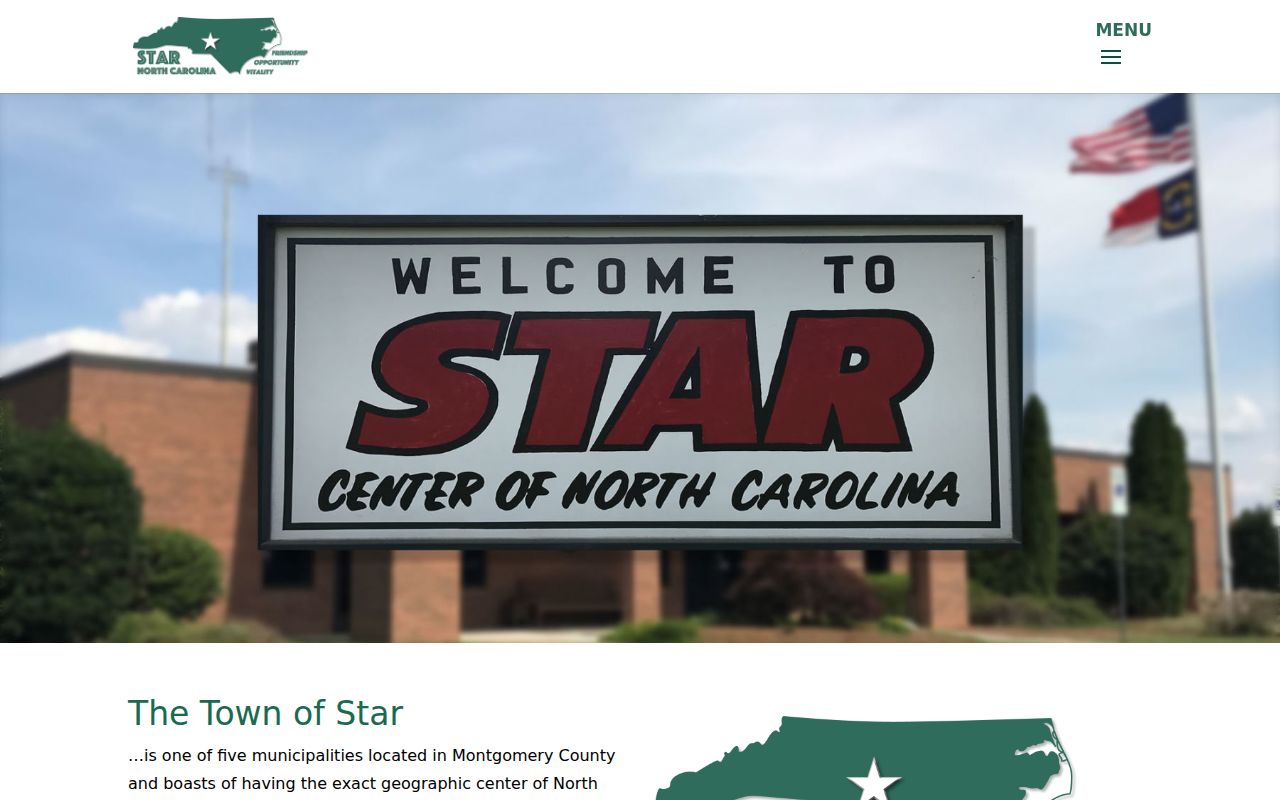
Star's municipal building houses town government, not the Star court dockets. For a state court case or public record, the route is still the Portal or the Montgomery Clerk in Troy.
Star Municipal Building and Court Route
Star's Municipal Building sits at 454 S. Main St. Mail goes to PO Box 97, Star, NC 27356. The town lists (910) 428-4623. Weekday hours are 9 a.m. to 5 p.m., with a lunch closure from 1 p.m. to 2 p.m. Those details give you a municipal contact point, nothing more. There is no Star court counter, Clerk office, court calendar, or record-request desk behind that address. The official Star council and contact source spells out the municipal contact context.
For a Star court record, go to the Montgomery County Courthouse at 108 E. Main St., Troy, or use the Portal. The Clerk's main line is (910) 571-3700. Courthouse hours run weekdays, 8 a.m. to 5 p.m. The town building and the courthouse serve different purposes. Note: a Star municipal-office contact is not the court channel for a case file, hearing date, or certified copy.
Court Dates and Settings in Star
A Star court date is a District Court or Superior Court setting. It is never a town-calendar entry. Check the Hearings section of the Case Summary first. Then try Search Hearings with Montgomery selected. That tool takes a case number. It also searches by party, business, attorney, bar number, judicial officer, or courtroom. Current hearing locations and times come straight from the Portal. What it will not tell you is whether a Star hearing is remote or in person.
| Date | The listed hearing date for the Star matter. Read later notices and orders when a record shows several dates. |
|---|---|
| Time | The displayed hearing time or session time. Keep the Star record number available when confirming it. |
| Location | The court location or courtroom shown by Search Hearings, not the Star Municipal Building. |
| Judicial Officer | The officer shown when that search mode or result detail is available. Montgomery does not post a District Court judges schedule. |
| Setting Type | The type of proceeding recorded for the Star case, read together with the current notice and later case events. |
The Montgomery civil calendar and criminal calendar offer more public routes. A Star calendar result can change, so it does not replace a notice the court issued to you or confirmation from the Clerk.
Star Court Date Confirmation Chain
Confirm any important Star court date with three checks. Pull up the Case Summary first, and note the case number plus its Hearings information. Then run Search Hearings with a narrow date range. That gets the current time and place. Finally, match that result against the right civil or criminal calendar. Call the Montgomery Clerk if the Star setting seems stale, missing, confusing, or in need of remote-access confirmation. One caution about sorting. Portal sorting can arrange a hearing view. Still, a sort button does not set the real call order in a Star courtroom. Judges call cases in their own sequence. Treat the courtroom clerk as the authority on order, not the software. When a Star setting requires remote access, only the Clerk can verify it, since Portal never shows that designation. Note: A public calendar snapshot does not show that a Star hearing was cancelled, reset, or approved for remote attendance.
Traffic Tickets in Star
Star posts no town ticket calendar and no citation-payment portal of its own. A Star traffic citation can become a court case. When it does, it follows the District Court and Montgomery Clerk path. Search the Portal with the citation or record number. Then read the Case Summary and Search Hearings for public case and setting details. The town name alone will not carry the search. You need the county location and the record number too.
The state traffic violations information walks through appearance, payment, continuance, and court procedure. For costs and citations, the local Montgomery payment page lists the options. Those include in-person, online, and authorized mail. Remember that a payment route does not answer whether you must appear. Confirm the court date separately.
Star Ticket Portal Gap
Star offers no town court payment portal and no town-facing calendar. So do not guess at a local payment site. The right path starts with the citation or case number in the Portal, moves through the public Case Summary and Search Hearings, and ends at the Montgomery Clerk or Cashier's Office, the locally published court channel. A citation can carry a live court setting even with no town payment screen anywhere online.
Before calling the Clerk about an unclear payment or appearance status, write down the exact number, the date, and the last docket event. Portal listings never show payment due dates. A blank Star calendar line is not proof the court excused your appearance or closed the case.
Note: A Star citation may have a current court setting even when no town-facing calendar or payment portal appears online.
Where Star Cases Go
Star cases skip any municipal-court tier entirely. District Court is the state division handling misdemeanors, infractions, family matters, many civil actions, and magistrate appeals. Montgomery County Superior Court takes felony criminal cases, civil actions above the statutory threshold, and District Court criminal appeals that get a new trial. Through it all, the unified Montgomery Clerk keeps the local trial-court record route for each division.
Docket flow: Star enforcement or filing › District Court and Montgomery County Clerk in Troy › Montgomery County Superior Court when a District Court criminal appeal receives trial de novo.
That split does not make either trial division a generic county court. A Star docket search works best with the actual case type. Use the Portal record to pin down the division. Town context tells you where a matter arose. The court record tells you which state path it followed.
Star Court Appeal Status
Appeal a Star District Court criminal case and it moves to Superior Court for trial de novo. That simply means a fresh trial in the higher trial division. It is not an appeal to some Star municipal court. It also does not wipe away the earlier Star court history. Portal status may flag an appeal or transfer posture. Read it alongside the current Case Summary and the Clerk record for real context.
The North Carolina courts overview lays out this trial-court structure. Above it sits the North Carolina Court of Appeals. That is the ordinary intermediate appellate court, with its own docket. That docket replaces neither a Star trial-court search nor the Montgomery Clerk's local file.
Note: A Star appeal or transfer status needs context. Read it with the current Case Summary and the Clerk's official record.
Star Court Record Access Rules
A Star court record lives with the state court system, not at the Municipal Building. Public Portal access can deliver a Case Summary and whatever public documents are available. Need a paper file, a terminal search, an official copy, or a certification? Contact the Montgomery County Clerk of Superior Court in Troy. The Portal is a convenience. It is not an official court record, and an old Star paper file may still require Clerk review.
Key Rules.
G.S. 7A-109 directs clerks to keep court records, files, dockets, and indexes, with public inspection unless access is restricted.
G.S. 132-6 covers timely public-record inspection and copies subject to lawful charges.
G.S. 7B-3000 makes juvenile court files confidential, so they are not ordinary Star public-search results.
Some Star records stay out of public Portal results. Sealed, expunged, confidential, and protected files simply may not appear, and protected identifiers can be redacted. A zero result should prompt a careful question to the Clerk about the record path, never an attempt to slip past access limits through a different search.
Star Historic District Docket Context
Star is one of Montgomery County's five municipalities, with a 2024 population estimate of 822. The town claims the exact geographic center of North Carolina. Star incorporated in 1897. It grew around a railroad junction and shipping point. Its Historic District earned a listing in 2013. All of this is town color. It points to no separate court center and no local docket system of its own.
The official Star history source documents the railroad and historic-district setting.
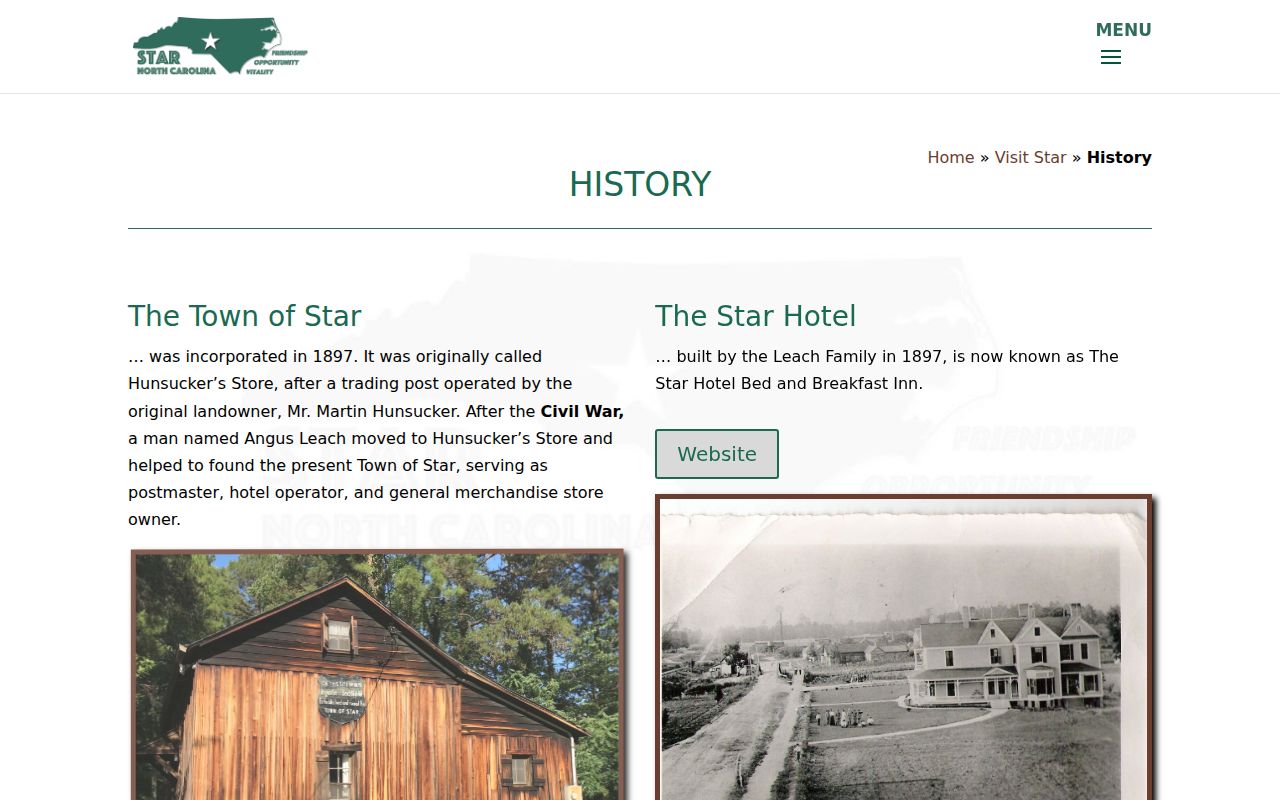
Star sits at the geographic center of Montgomery County, but that status gives it no court of its own. Every docket, hearing, and certified court record tied to Star still runs through the state courts. The Clerk in Troy holds that record.